.png?width=500&height=91&name=CG-Logo-Blue%20(1).png)
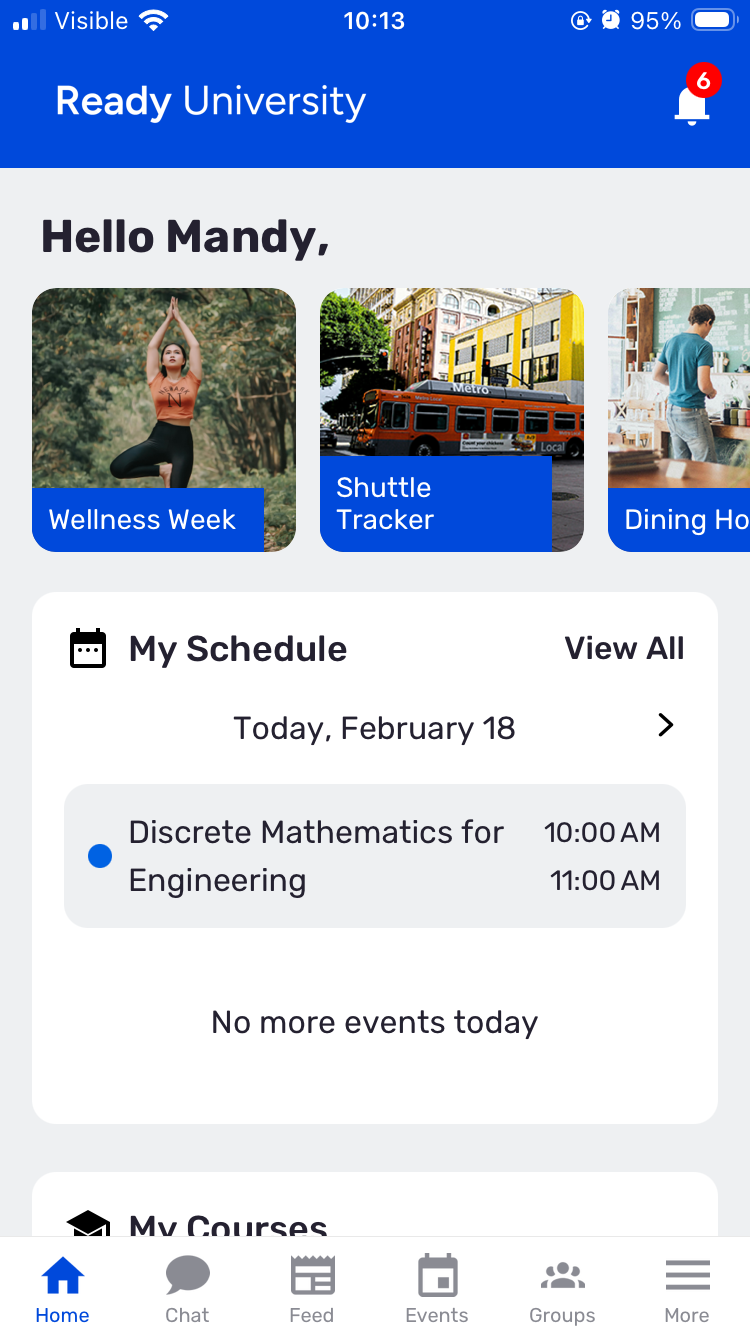
On the mobile app, the home page of a Community Hub can display a row of three to five Quick Link tiles at the top. These tiles link to external URLs, to provide easy access to key resources and highlights.
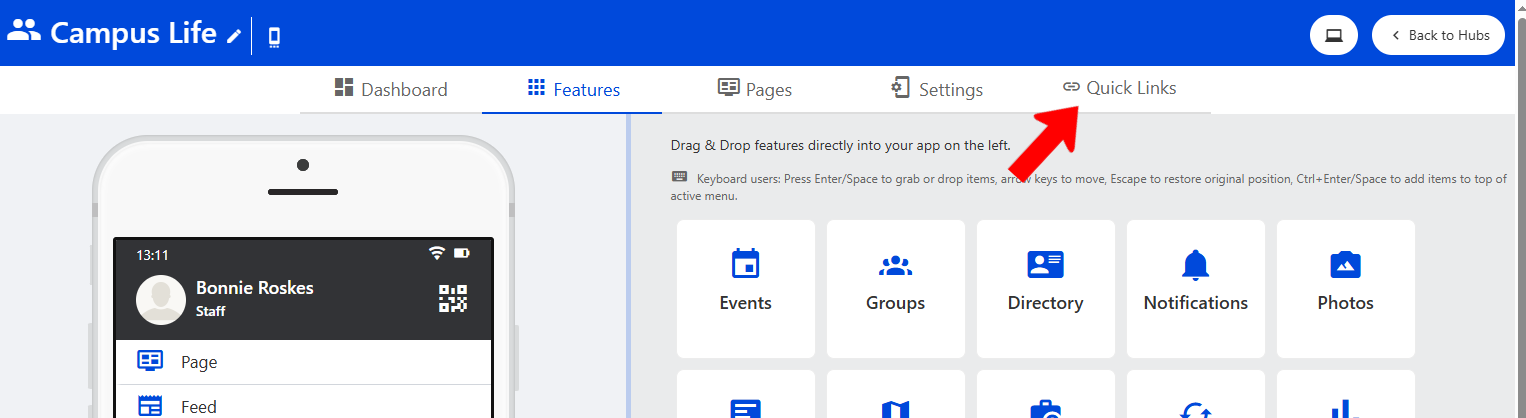
To configure these quick links, manage the Community Hub Managing a Community Hub and click Quick Links at the top.
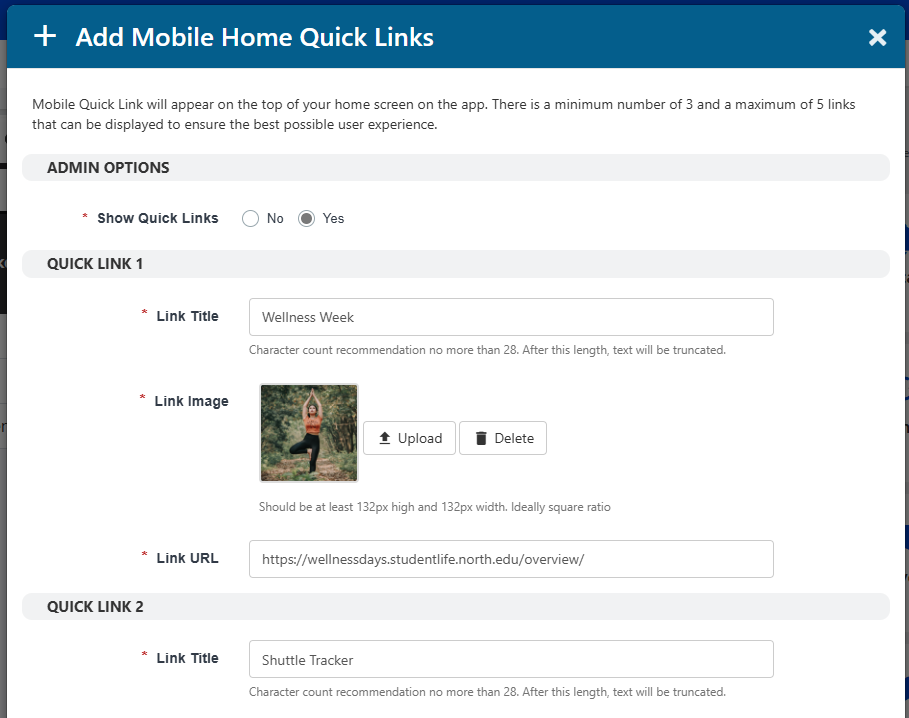
In the popup you can choose whether to display the tiles, and for each quick link you can add a title, image, and URL. We recommend no more than 28 characters for the title, and the tile image should be at least 132 px square.