.png?width=500&height=91&name=CG-Logo-Blue%20(1).png)
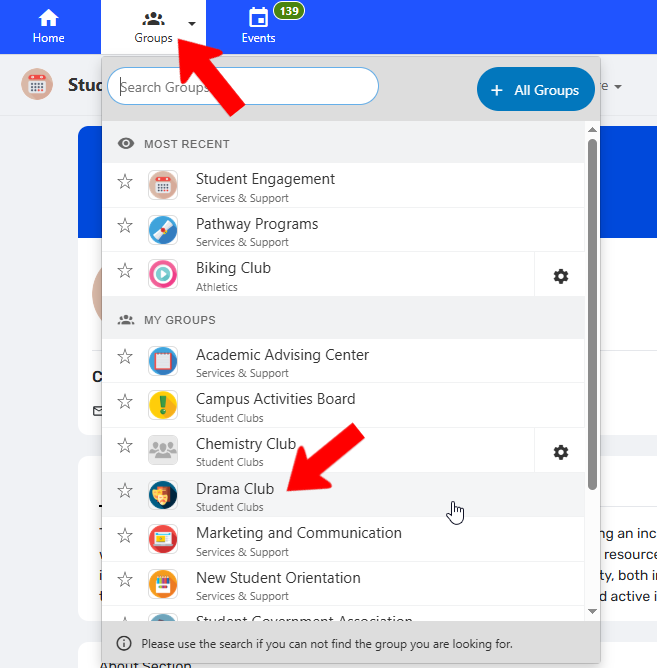
Once you’ve joined a group, there are several membership properties you can control. First, on the web version, click groups at the top and find and open your group.
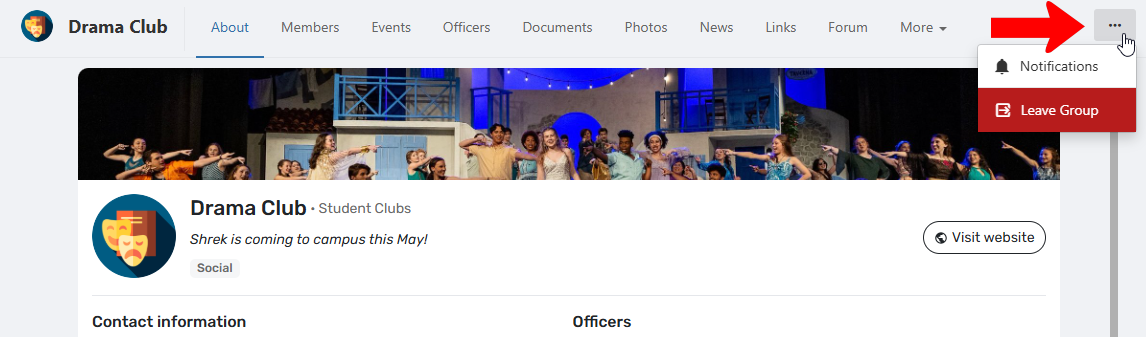
This opens the Group Page. Clicking the three-dot icon at the top right opens a menu with options to control group notifications, or leave the group.
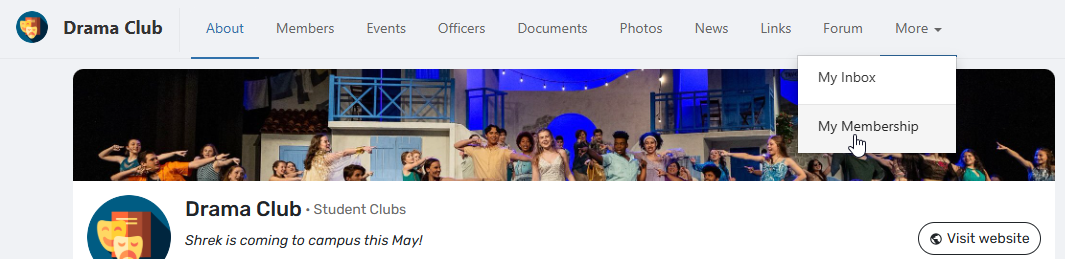
There is also a My Membership option at the top of the Group Page. Depending on how many page sections are displayed, this option may be found under More.
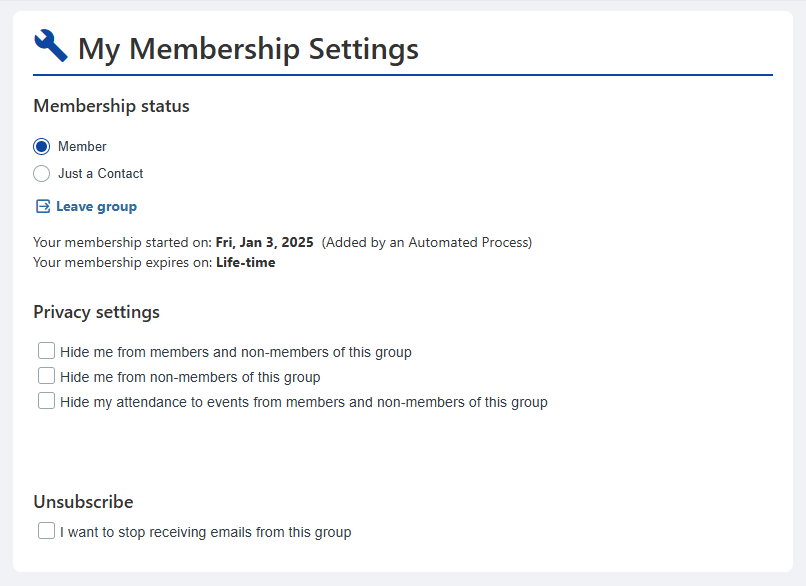
On the My Membership Settings page, you can change status from member to contact (with less access to the Group Page), or leave the group. There are also Privacy Settings to hide yourself from other group members and / or non-members, or hide event attendance. The last option enables you to unsubscribe from group emails.