
Slate can call CampusGroups (CG) RSS API endpoints directly. Other CG API endpoints are different: you have to request an access token first and then send it with each call after that. Slate can’t do this by itself. To use those endpoints, you need a middleware tool such as n8n.
This article covers the RSS API endpoints. It uses the event attendees endpoint as the example.
Who can do this: CampusGroups admins with access to API settings, working with a Slate user who can create source formats.
ℹ️Note: This help article is provided as a courtesy workaround. Currently, CampusGroups does not support an official integration with Slate.
Before you start
You’ll need:
- Admin access to CampusGroups
- Permission to create source formats in Slate
- Optionally, an API client such as Postman, so you can see the XML the endpoint returns
Create an API secret in CampusGroups
- In CampusGroups, click the admin tab at the top of the page.
- Go to APIs > API Secrets.
- Create a new API secret.
- Give the secret access only to the endpoints you plan to call. If the secret is ever exposed, this limits what someone could reach with it.
- Copy the secret. You’ll paste it into Slate in the next section.
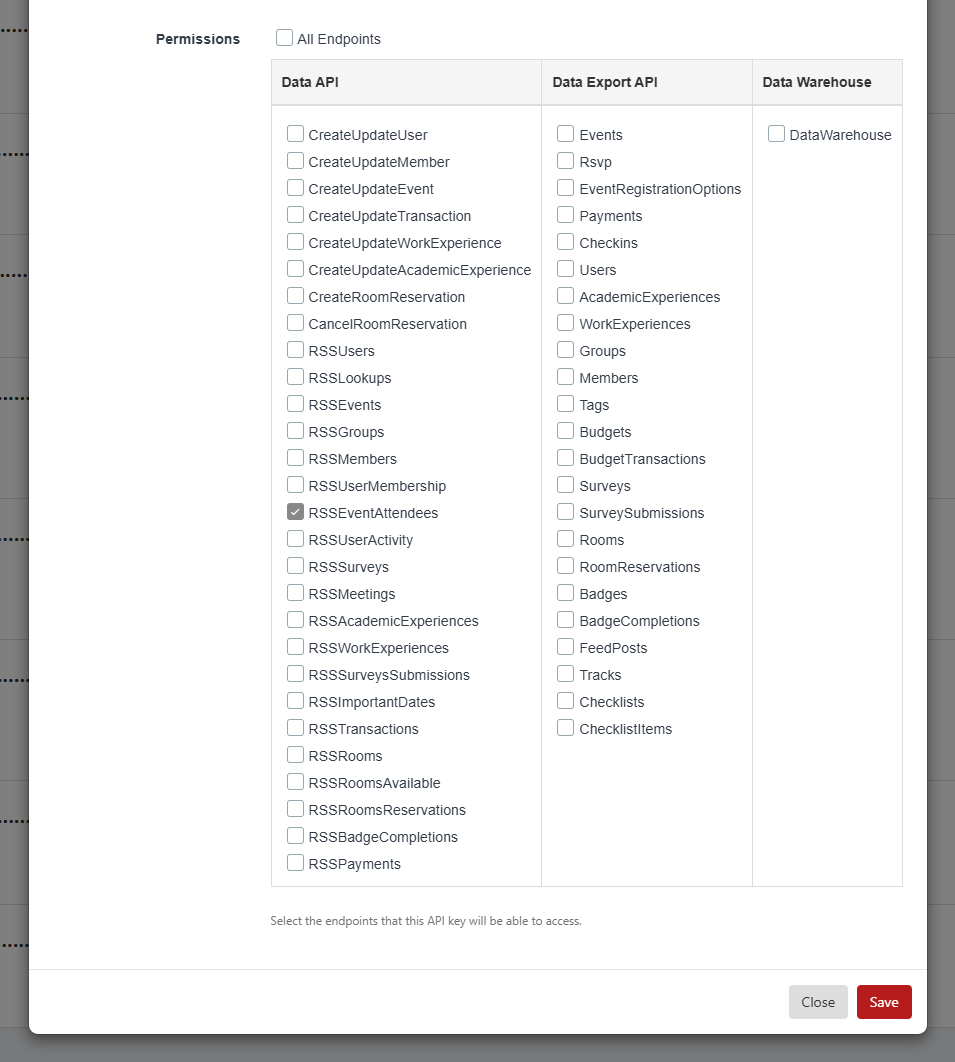
⚠️ Caution: Treat your API secret like a password. Store it only in Slate’s HTTP header field. Don’t share it in email or tickets.
The example in this article calls the event attendees endpoint:
https://your_school_url/rss_event_attendees?ts=[TIMESTAMP]&preauth=[TOKEN]
Create a source format in Slate
Use a source format to pull data from CampusGroups into Slate. In Slate, create a new source format, then set up two tabs: Import Automation and Format Definition.
Set up the Import Automation tab
This tab tells Slate where to get the data and how to authenticate.
- Open the Import Automation tab.
- In Import Remote Server, enter your endpoint URL. Replace your_school_url with your campus’s CampusGroups address:
https://your_school_url/rss_event_attendees - In HTTP Headers, enter the line below. Replace YOUR_API_SECRET with the secret you copied. CampusGroups uses this header to authenticate the request.
<t name="X-CG-API-Secret">YOUR_API_SECRET</t>
ℹ️ Note: Some RSS API endpoints require a preauth token and some don’t. The event attendees endpoint does.
Set up the Format Definition tab
The format definition tells Slate how the returned XML is structured, so Slate can read each field.
- Get a sample of the XML the endpoint returns. One way to do this is to call the endpoint from Postman.
- Build the format definition from that sample. Optionally, give the sample XML to Slate AI and have it generate the definition for you.
- Open the Format Definition tab.
- Paste in the format definition. For the event attendees endpoint, it looks like this:
<layout type="xml" node="/rss/channel/item"><f s="eventId" id="eventId" /><f s="attendeeCgId" id="attendeeCgId" /><f s="firstName" id="firstName" /><f s="lastName" id="lastName" /><f s="email" id="email" /><f s="accountType" id="accountType" /><f s="rsvped" id="rsvped" /><f s="eventRegistrationUid" id="eventRegistrationUid" /><f s="cgTicketId" id="cgTicketId" /><f s="cgPaymentUid" id="cgPaymentUid" /><f s="gender" id="gender" /><f s="member" id="member" /><f s="yearOfGraduation" id="yearOfGraduation" /><f s="netId" id="netId" /><f s="checkedIn" id="checkedIn" /><f s="rsvpedAtTheDoor" id="rsvpedAtTheDoor" /><f s="onTheWaitList" id="onTheWaitList" /><f s="attendeesComment" id="attendeesComment" /><f s="selectedTickets" id="selectedTickets" /><f s="createdOn" id="createdOn" /><f s="updatedOn" id="updatedOn" /><f s="quantity" id="quantity" /><f s="workTitle" id="workTitle" /><f s="cgPaymentId" id="cgPaymentId" /><f s="registrationStatus" id="registrationStatus" /><f s="lastUpdatedOn" id="lastUpdatedOn" /><f s="groupCgId" id="groupCgId" /></layout> - Save the source format.
Map the fields
After you save the format definition, the CampusGroups fields show up in the source format. Map each one to the Slate field it belongs in.