.png?width=500&height=91&name=CG-Logo-Blue%20(1).png)
If enabled in your account, you can create mailing lists. This makes it easy to repeatedly send emails to a selected group of users.
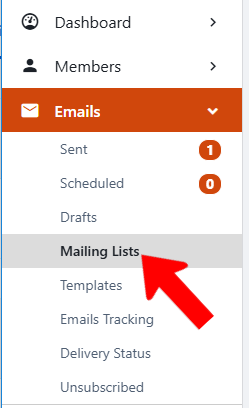
Start by managing your group Managing Your Group, Group Dashboard, open Emails along the left, and click Mailing Lists.
Click Create Mailing List.

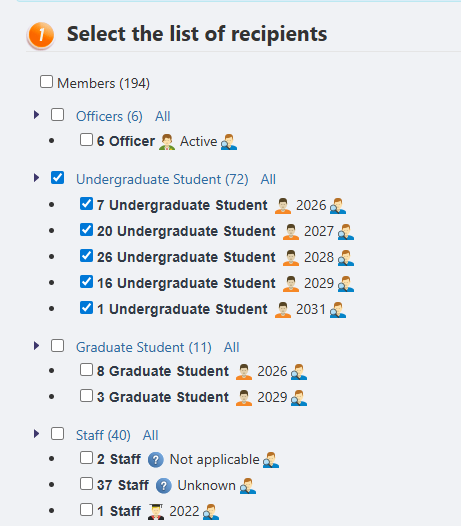
In the membership breakdown list, choose who you want to be included.
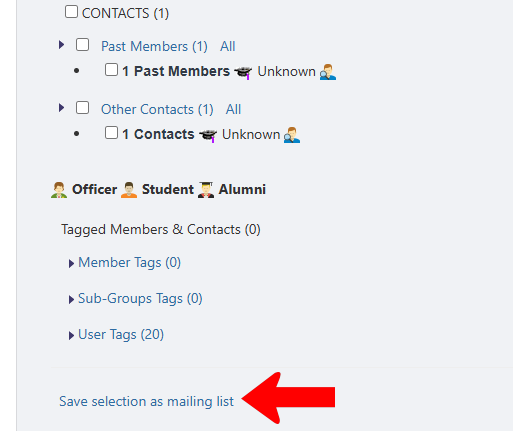
At the bottom of the list are options to include members by a variety of tags. Click Save selection as mailing list.
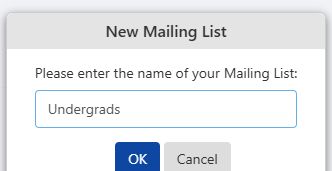
Assign a mailing list name and click OK.
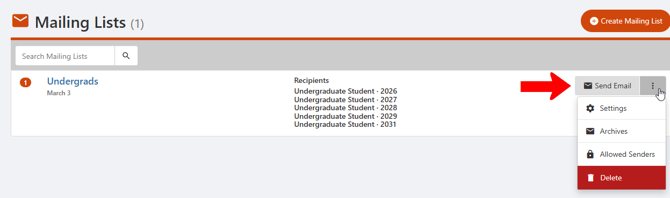
Each mailing list has a Send Email button on the right, and you can use Email Composer Email Builder or Email Builder Using Email Builder. Clicking the More (three-dot) icon opens a menu with options to change Settings, open Archives, or define Allowed Senders, which opens the Access Rights popup.