.png?width=500&height=91&name=CG-Logo-Blue%20(1).png)
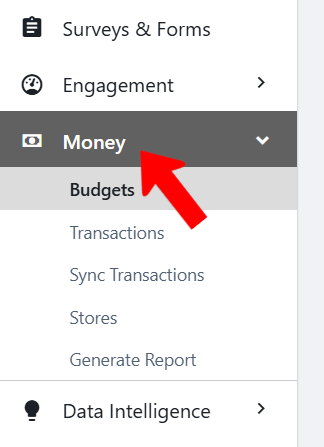
To view and create budgets (both simple budgets and advanced Creating a Simple Budget), switch to Admin mode Creating a Simple Budget if needed and open Money on the left.
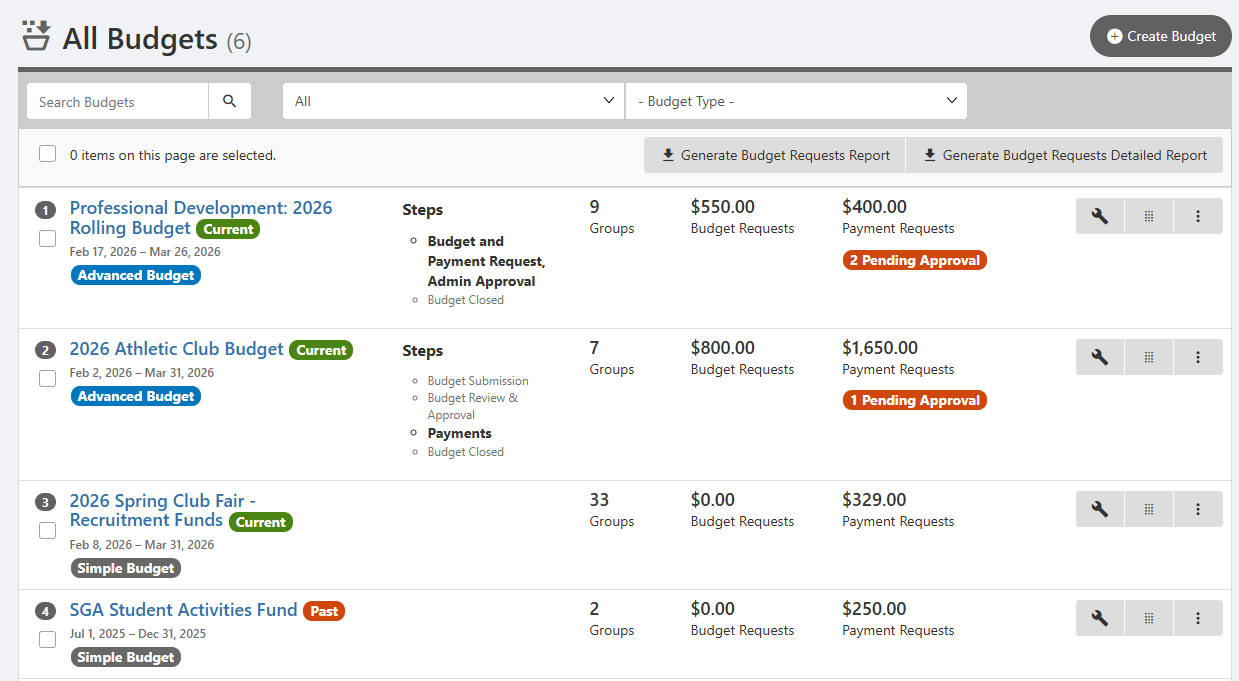
This opens the All Budgets list. Each budget is listed with its type (simple Creating a Simple Budget or advanced Creating an Advanced Budget), active period, number of included groups, approved and pending payment requests.
Each advanced budget also includes the current budget step Customizing Budget Steps and Rolling Budgets (which can be changed in the Settings) and budget requests.
The list can be searched and filtered Managing Budgets: Budgets List by past / present / future, or by budget type.
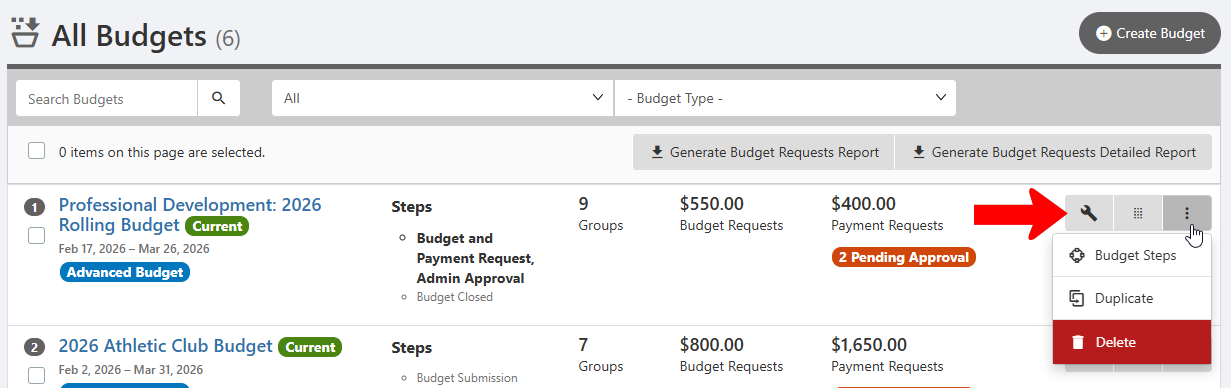
Each budget has icons at the right to open the Settings or drag to reorder. Clicking the More (three-dot) icon opens options to display Budget Steps Customizing Budget Steps and Rolling Budgets, or duplicate or delete teh budget.
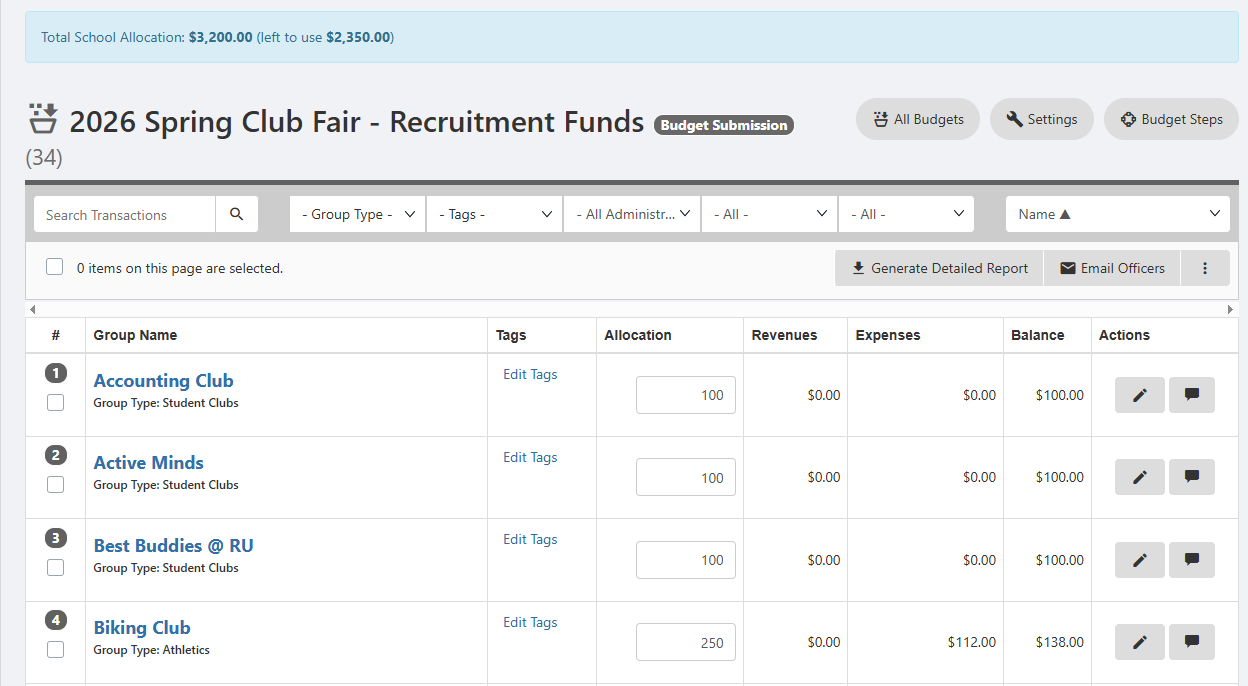
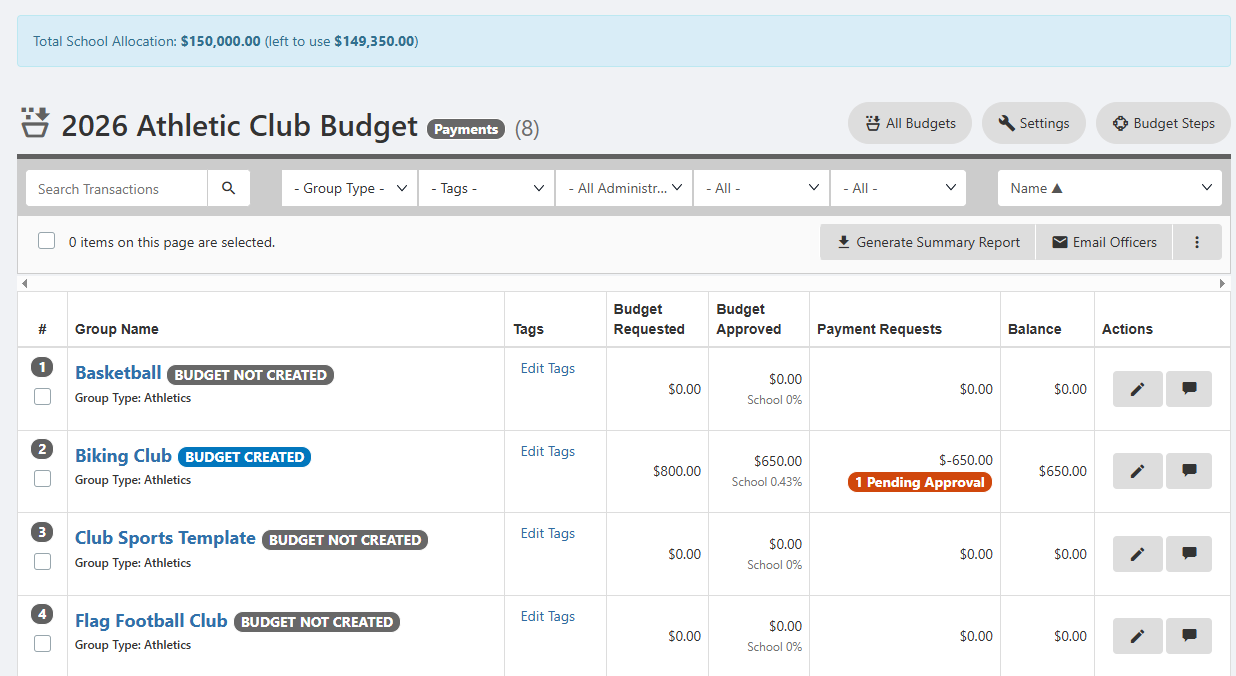
Clicking a budget name opens a financial breakdown by group. For an advanced budget, you can see which groups have approved budgets, as well as each group’s payments requests and balance. Along the top is the total allocation and remaining left to allocate.
For a simple budget, each group is listed with its allocation, expenses, and balance.