.png?width=500&height=91&name=CG-Logo-Blue%20(1).png)
As a group officer, you can define roles and responsibilities for yourself and your fellow officers.
Note: You can also configure officer permissions Managing Officer Permissions.
To get started, open your Officers list Officers List: Managing Officers.
Each officer can be assigned one Position (optional).
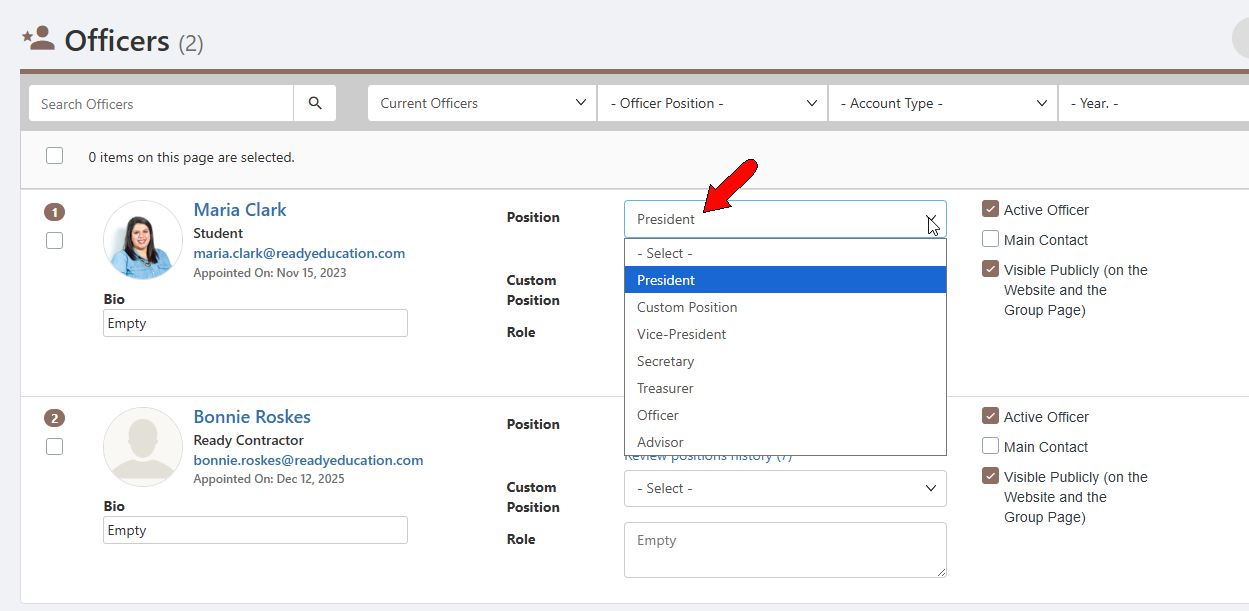
Note: Officer positions are set up by your platform admin.
Custom positions provide a way to assign a position other than those in the Position list.
If custom Positions are already set up, you can choose one of those positions. If the custom position you want does not exist, choose Create New Custom Position to create the position on the fly. Choosing Manage Custom Positions will open the Positions list in a separate tab.
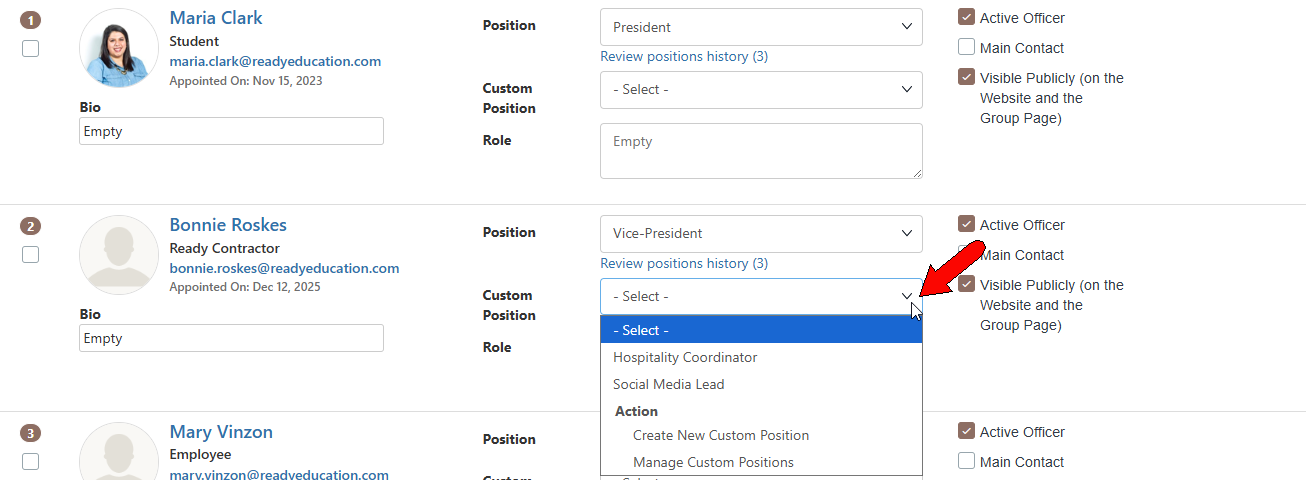
Note: If both a position and custom position are assigned, the custom position will be displayed on the group page custom position.
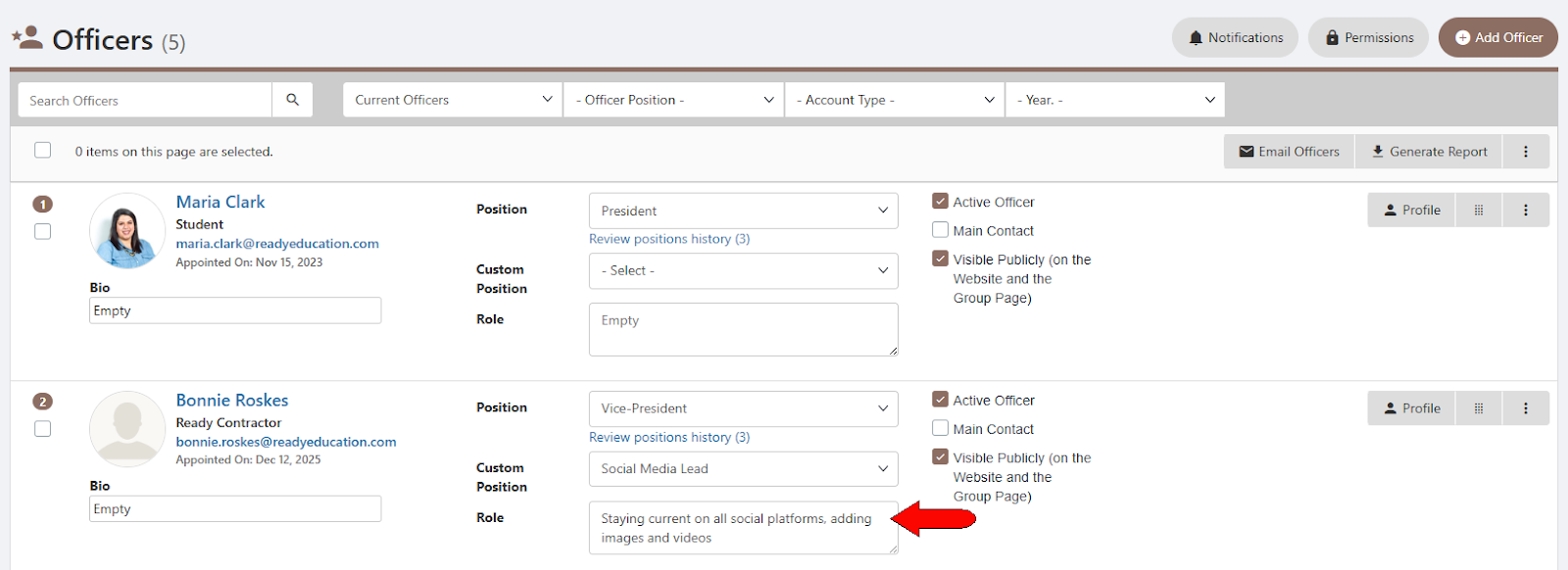
The last option is Role, where you can optionally provide further explanation about the custom position.