.png?width=500&height=91&name=CG-Logo-Blue%20(1).png)
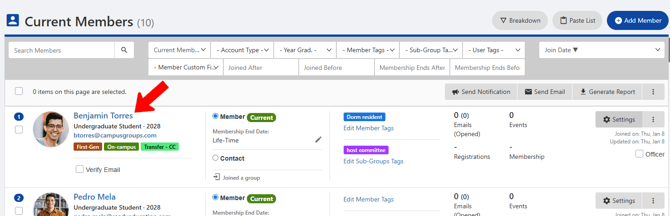
On your Current Members list Tags, each member is listed with basic details, including email, User Tags, membership end date, Member Tags and Sub-Group Tags, emails and events, etc.
To learn more about a member, click their name.
This opens the Member Dashboard. The Summary tab lists basic details, in addition to any responses to Member Custom Fields.
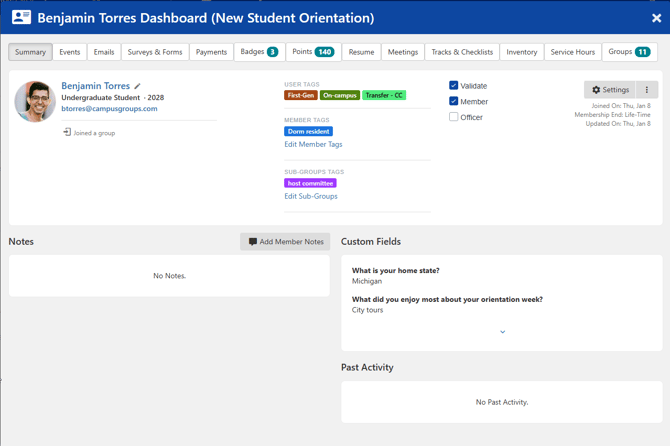
Click Settings if you want to adjust membership end date, change status for validation, officer, emails, etc., or edit member custom field responses.
Other tabs list detailed information about this member’s events, emails, surveys, payments, etc.
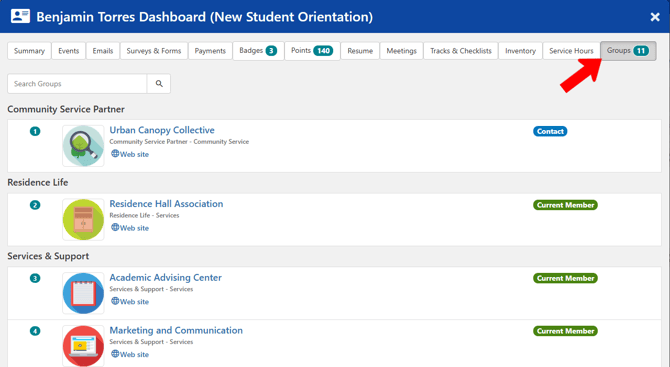
For platform admins, the Groups tab lists other groups in which this member is a member or contact. Officers have a restricted view.