.png?width=500&height=91&name=CG-Logo-Blue%20(1).png)
Email tracking shows who opened each email your group sent, how many times they opened it, and which links they clicked. You can review activity for a single email, or look across your group's emails by user. To see who has opted out of your group's emails, see unsubscribes.
Who can do this: Group officers.
Tracking a single email
Open your group's Group Dashboard. If you need help getting there, see managing your group.
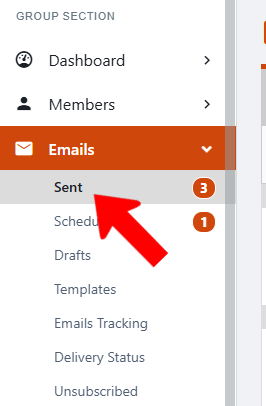
Along the left, open Emails. Click Sent.
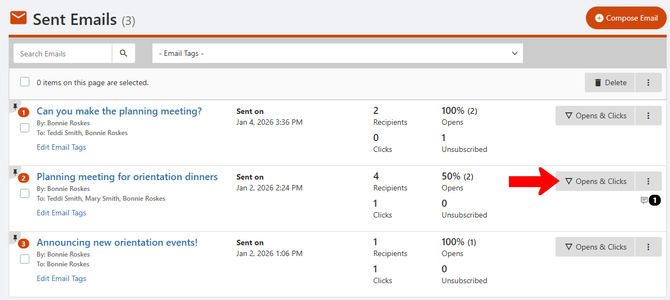
Find the email you want to track in the list. Click Open & Clicks for that email.
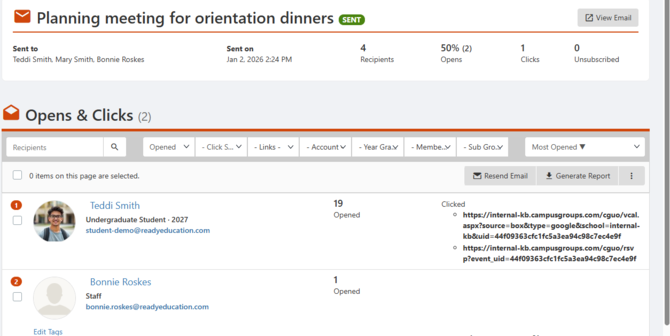
The list that opens shows each user who opened the email, how many times they opened it, and which links they clicked.
ℹ️ Note: Each email also has a Stats option, which breaks down email interactions by gender and other user attributes. For more ways to review your sent emails, see viewing and tracking group emails.
Tracking email activity by user
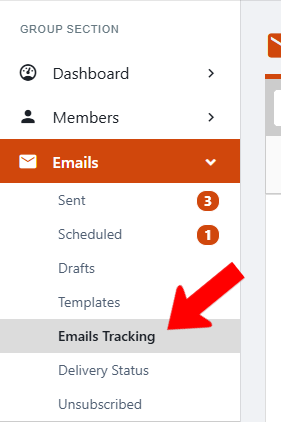
Along the left, open Emails. Click Emails Tracking.