.png?width=500&height=91&name=CG-Logo-Blue%20(1).png)
You can have CampusGroups send a welcome email automatically each time someone joins your group. The email goes only to people who join on their own. It isn't sent to members who are added or uploaded by a group officer.
Who can do this: Group officers.
ℹ️ Note: Before you start, create a template in Email Composer for your welcome email. Templates made in Email Builder can't be used for this setting.
Turning on the automatic welcome email
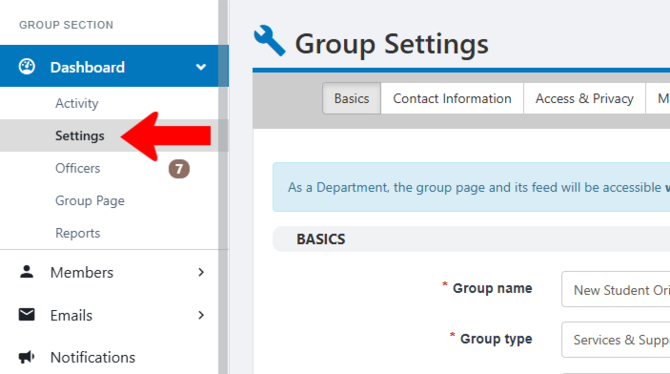
Start by managing your group. Under Dashboard on the left, click Settings.
Open the More tab.
Under Automatic welcome message, select your welcome email template.
