.png?width=500&height=91&name=CG-Logo-Blue%20(1).png)
“Form” is a generic term for any type of mechanism used to collect responses from group members, contacts, or a wider audience.
There are several types of forms you can create, for a variety of purposes.
- Form: Collect data or documents, for new member intake, leadership interest, volunteer sign-ups, etc.
- Survey: Collect answers to questions, using a variety of question formats, for event feedback, member questionnaires, activity suggestions, etc.
- Election: Create positions and candidates, for whom users can vote
- Quiz: Create questions whose answers can be scored
- Job Application: Enable users to apply for a job (requires the Job Board feature)
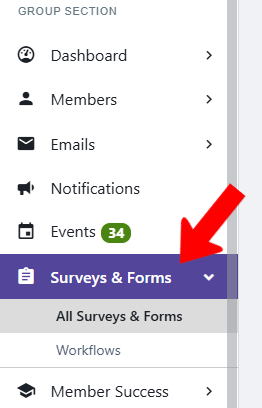
When managing your group Managing Your Group, Group Dashboard, the Surveys and Forms section appears on the left menu.
We recommend proceeding with the following steps for the forms lifecycle:
- Ensure that the correct group officers have the Manage Surveys & Forms permission.
- Verify officer notifications Managing Officer Notifications related to surveys. There are notifications for survey responses, approvals or rejections, and surveys submitted anonymously.
- Familiarize yourself with the various question types Questions and Question Types.
- Create the form.
- Configure Form Settings, which includes Access Rights Form Settings (who can see the form, and who can complete and submit the form).
- Determine what sort of approval is needed. If the form requires no approval, or approval from any group officer (with the correct permissions), there are no extra steps. If your form will require two or more approval steps, or approval from outside your group, you will need to set up an approval workflow Creating an Approval Workflow.
- Invite users to view and complete the form Inviting Users to a Form.
- Manage your form Managing Forms to track responses and grant approvals if needed.