.png?width=500&height=91&name=CG-Logo-Blue%20(1).png)
Terms of service let you set terms that users must agree to before they can access CampusGroups. Typical terms include privacy policies and codes of conduct.
Who can do this: Platform admins.
⚠️ Caution: If a user declines the terms, their account is deactivated. Write the terms and the decline message with that consequence in mind.
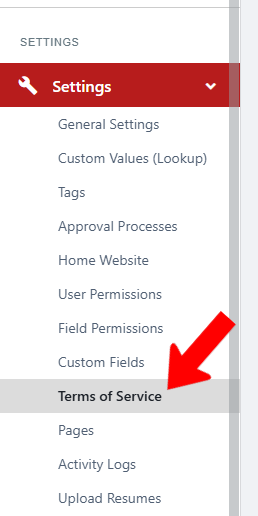
If needed, click the Admin tab. Click Settings on the left. Choose Terms of Service.
Click Create Terms of Service.

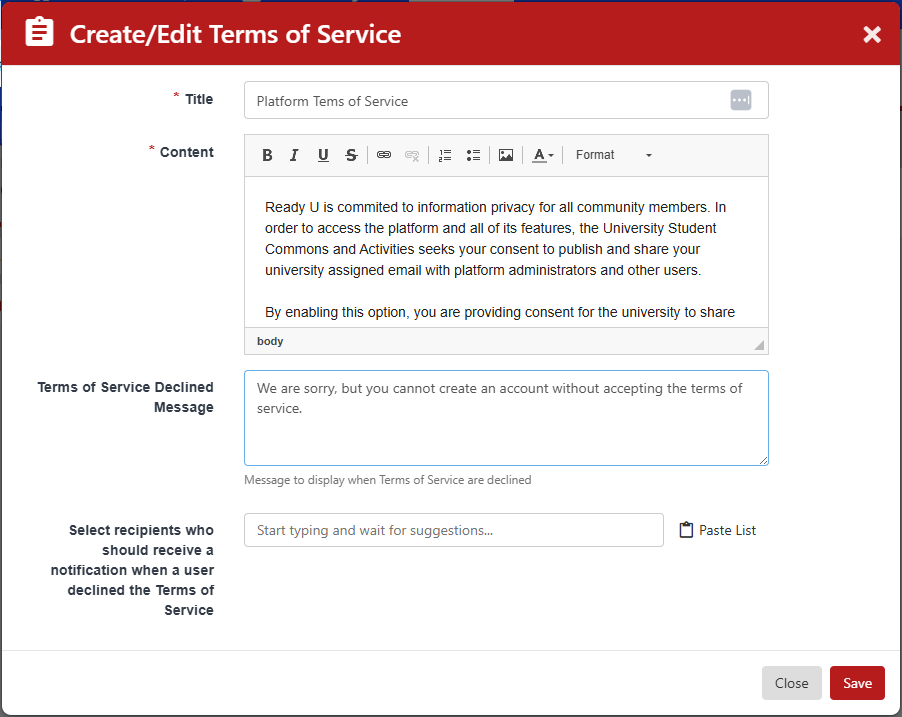
Enter a title for the terms. Enter the content of the terms. Enter a message for users who decline.
Optionally, enter the names of anyone who should be notified when a user declines.
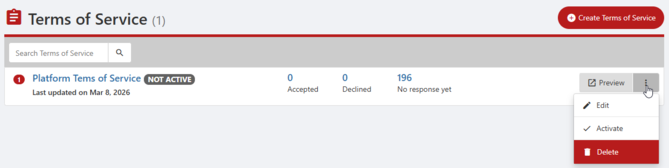
Your terms appear in the Terms of Service list. From the list, you can:
- Preview the terms.
- Edit the terms.
- Activate the terms.