.png?width=500&height=91&name=CG-Logo-Blue%20(1).png)
Once a checklist Creating a Checklist and Tasks is made available to assignees, and users start completing it, you can track its progress.
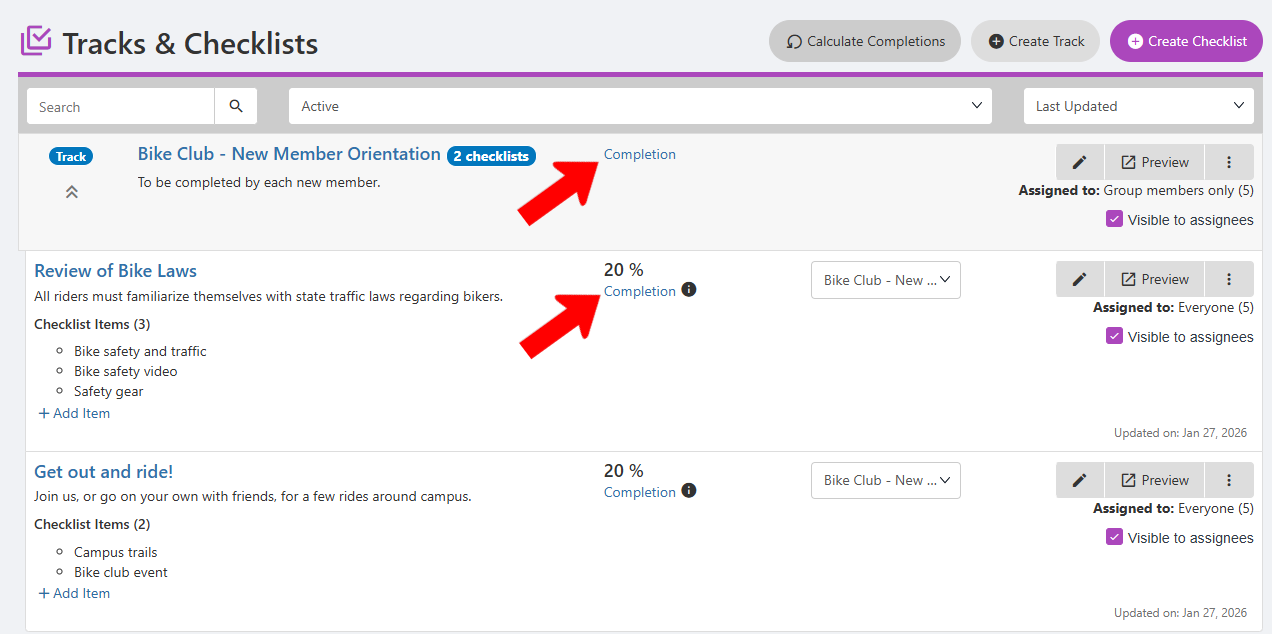
In the Tracks & Checklists list, each checklist has a Completion link. If one or more checklists are part of a track Creating a Track, the track will have the same link.
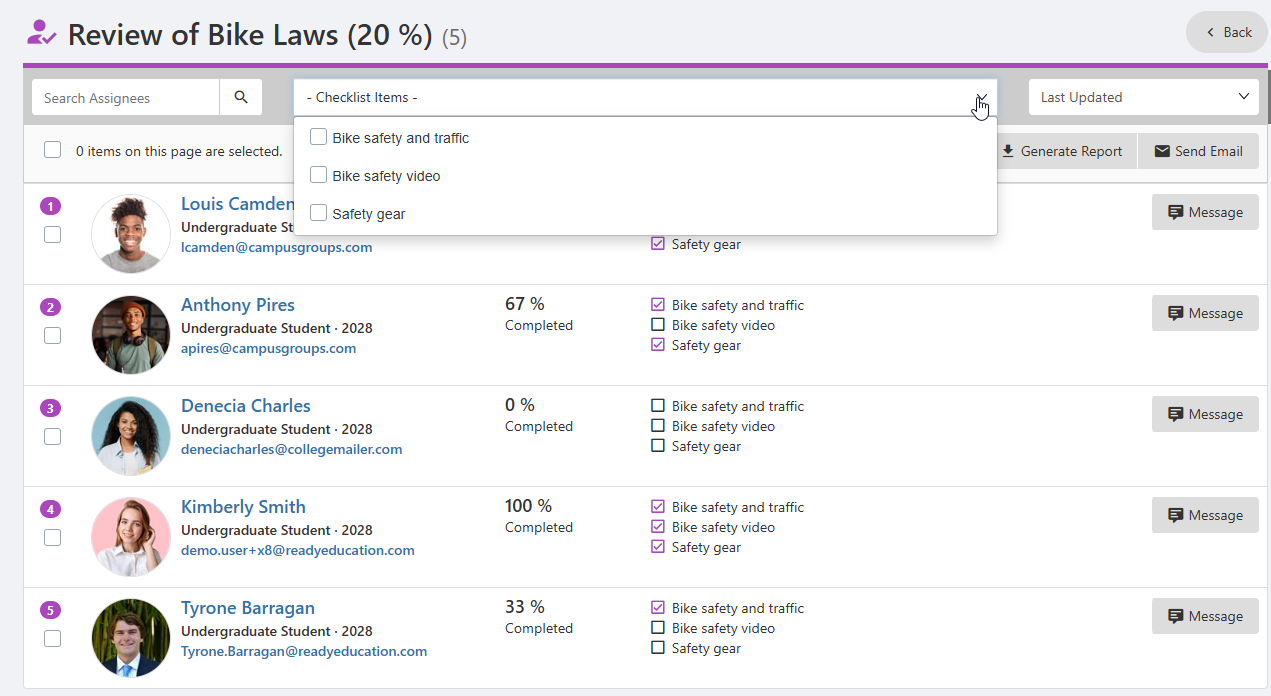
Clicking Completion for a checklist opens a list of all assignees, where you can see checklist tasks have been completed. You can search for a specific assignee, filter for specific tasks, and message assignees.
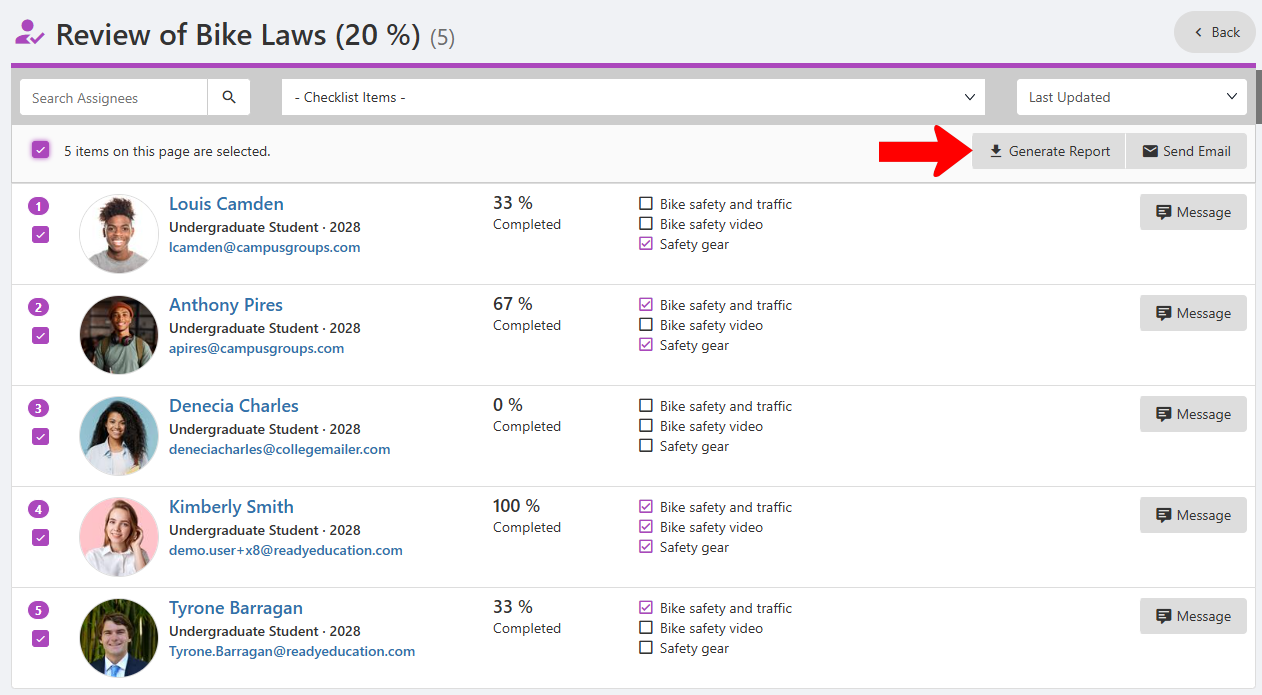
When one or more assignees are selected, you can generate a spreadsheet of completed tasks, and send the assignees an email Sending Group Emails.
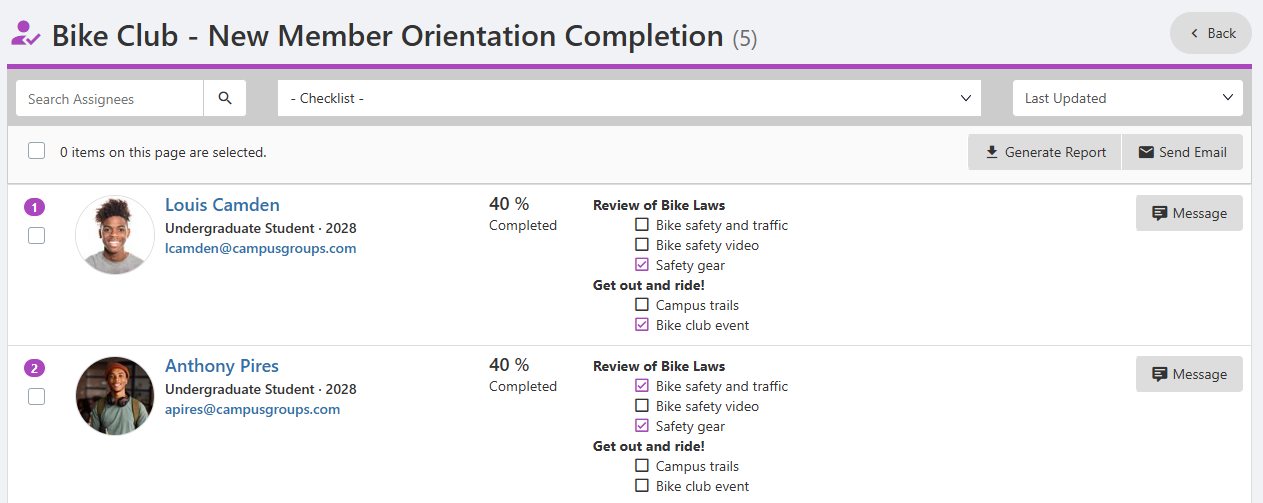
Clicking Completion for a track opens the same list of all assignees, and you can see task completion for all checklists within the track.