.png?width=500&height=91&name=CG-Logo-Blue%20(1).png)
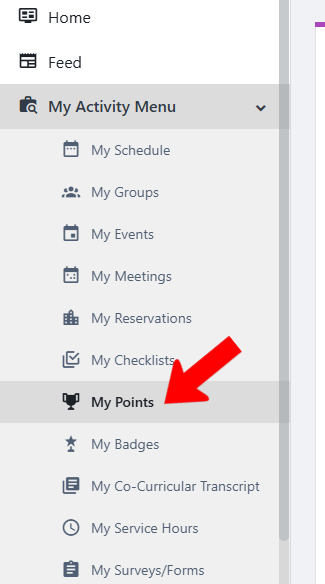
There are several features of the My Activity menu My Activity menu that enable you to track your campus involvement:
- My Points
- My Badges
- My Service Hours (web only)
- My Co-Curricular Transcript (web only)
My Points
(Viewable on web and mobile)
Platform admins can configure a point system, in which users (and groups) can earn points after completing specific tasks. Points can be earned automatically or assigned manually by an admin.
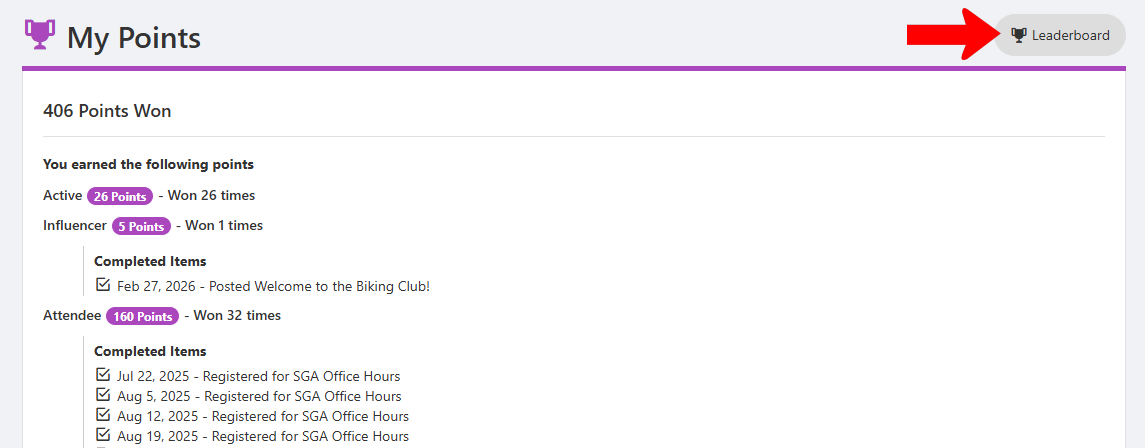
To see your earned points, choose My Activity / My Points or My Involvement / My Points. The list details each type of point, point values, number of times won, and when relevant, the completed tasks.
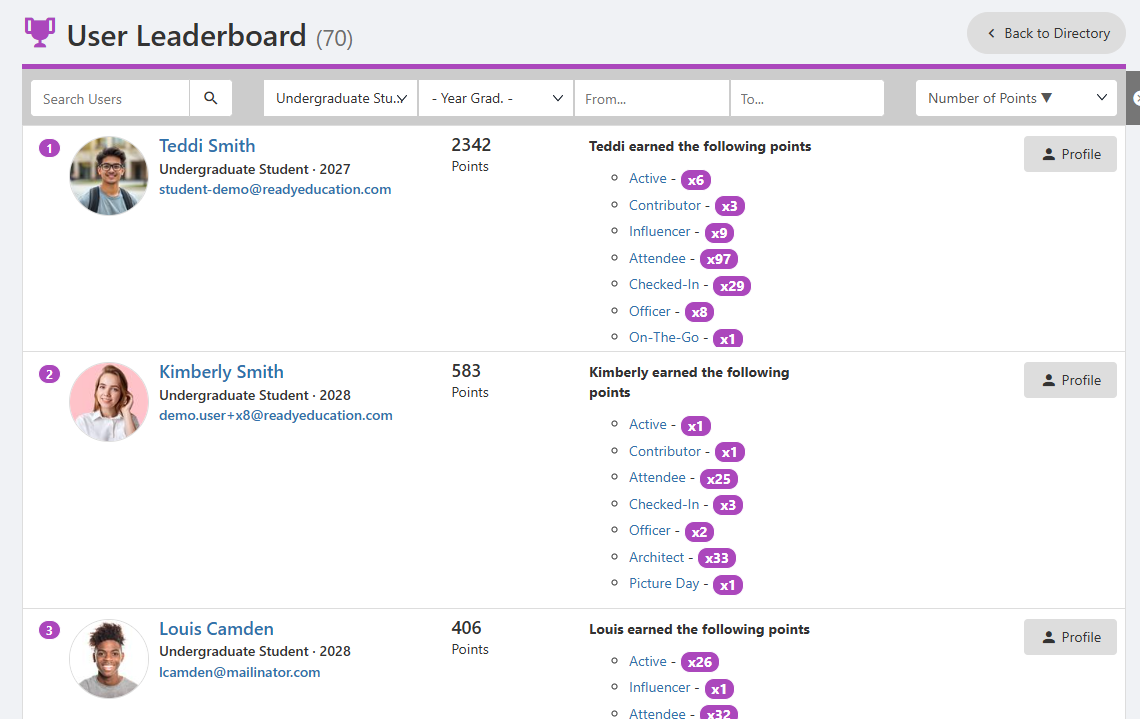
Click Leaderboard to see how you compare to other users.
By default, the User Leaderboard lists users by points earned, but you can change the sorting, as well as search for users and filter by user type, graduation year, and date range.
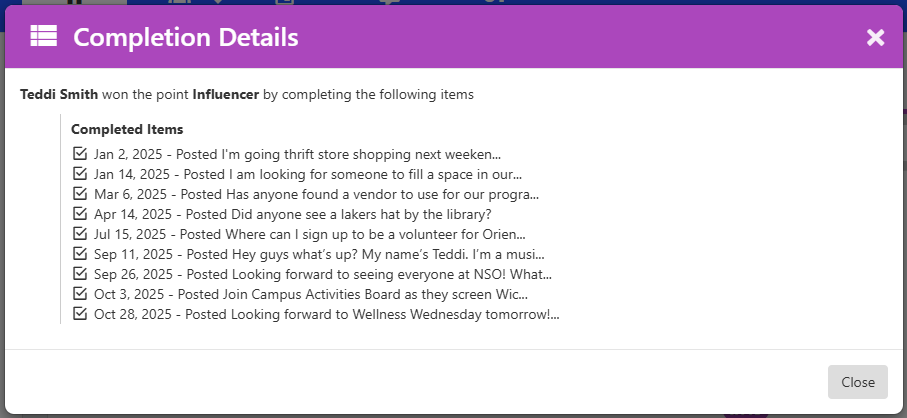
Clicking a point name (such as “Contributor” or “Influencer”) brings up a list of completed tasks for that point.
My Badges
(Viewable on web and mobile)
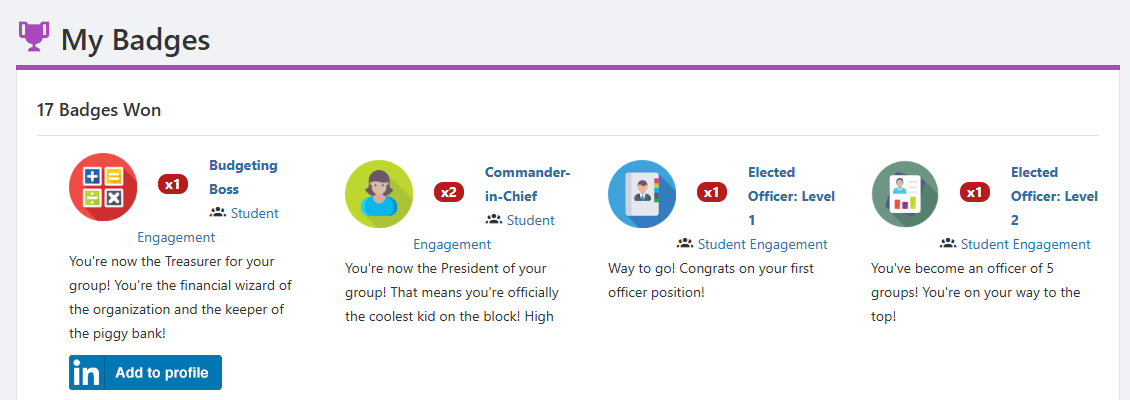
Badges are created by groups to provide users with a digital representation of skills and achievements within the platform.
To see your earned badges, choose My Activity / My Badges or My Involvement / My Badges. The list details each type of badge, badge description, and number of times won. If enabled by the group, badges may also have an Add to profile button, which you can use to display the badge on your LinkedIn profile.
My Service Hours
(Viewable on web only)
The Service Hours feature enables you to track and record your accrued service hours.
To see your accrued hours, choose My Activity / My Service Hours or My Involvement / My Service Hours.
Each set of hours is listed with its associated group, date, and number of hours. Event hours are associated with an event, which you can see by clicking the hyperlinked event. The other type of service is Experience.
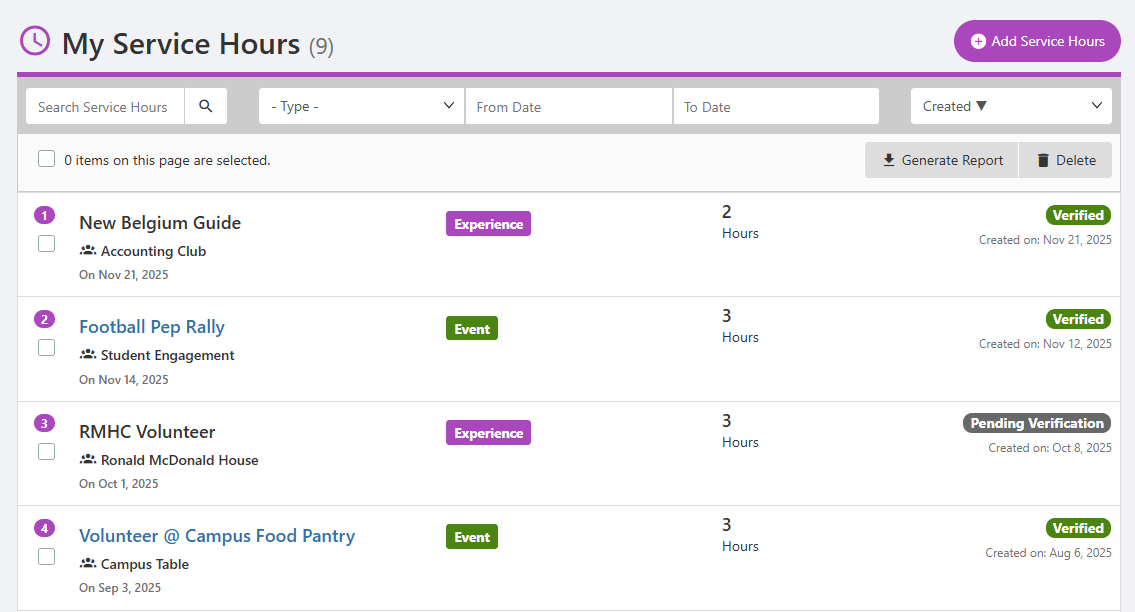
Hours can be added to your profile by a group officer or admin, or you can add your own by clicking Add Service Hours. When adding your own hours, specify whether the service was Event or Experience and complete all details. A group officer or admin will need to verify hours you add yourself.