.png?width=500&height=91&name=CG-Logo-Blue%20(1).png)
An unverified user is an individual without a platform account, who registers as an Other / Guest user when completing a form, registering for an event, etc.
With limited access to the platform, these users can only access their profile, take any actions that enabled their account creation, or take actions set for Unverified Users in User Permissions. By verifying these users, Admins can enable them to access the full set of features available to Other / Guest users.
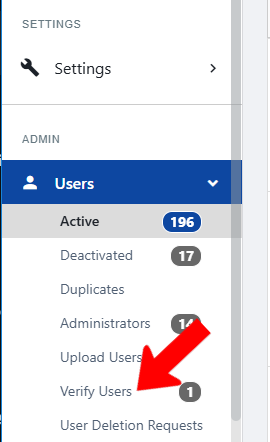
To see your list of unverified users, switch to Admin mode if needed. Open Users along the left and choose Verify Users.
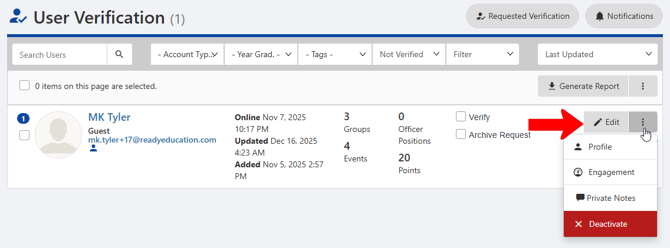
The User Verification list can be filtered and searched if needed filtered and searched. Each user can be edited, and you can learn more about them by clicking their More icon and viewing their Profile or Engagement.
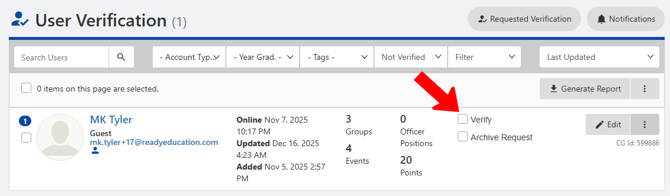
To verify a user, simply click their Verify box. Checking Archive Request hides the user from the list.