.png?width=500&height=91&name=CG-Logo-Blue%20(1).png)
To view all group emails, start by managing your group Managing Your Group, Group Dashboard.
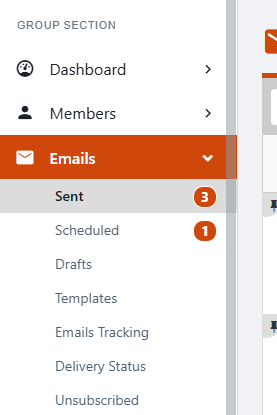
In the Emails menu on the left, there are lists for emails of three statuses: Sent, Scheduled (to be sent later), and Draft (not ready to be sent).
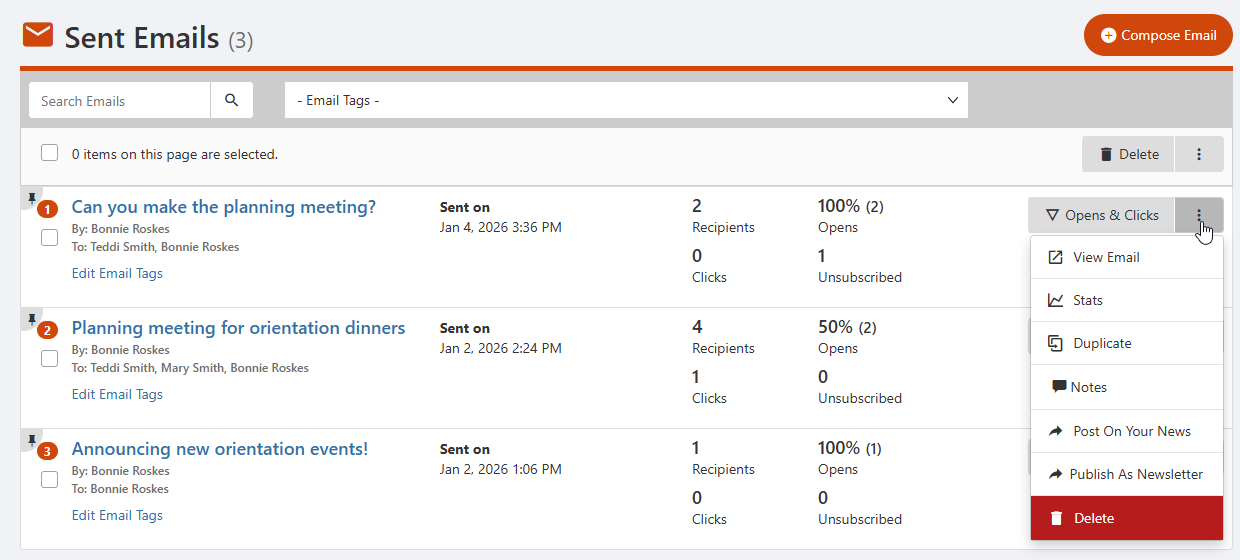
In the Sent Emails list you can see when each email was sent, with number of recipients, open rate, clicks, and Unsubscribes. You can also assign or edit email Tags.
For insight into who is interacting with an email and how, click an email subject, or click its Open & Clicks button to the right.
Each email also has a More icon on the right, that lists the following options:
- View Email: Display the email
- Stats: Graphic representations of opens, clicks, and RSVPs, broken down by gender and other Account Types
- Duplicate: Copy the email
- Notes: Leave a note for other officers, or reply to a note
- Post on Your News: News
- Publish as Newsletter: News
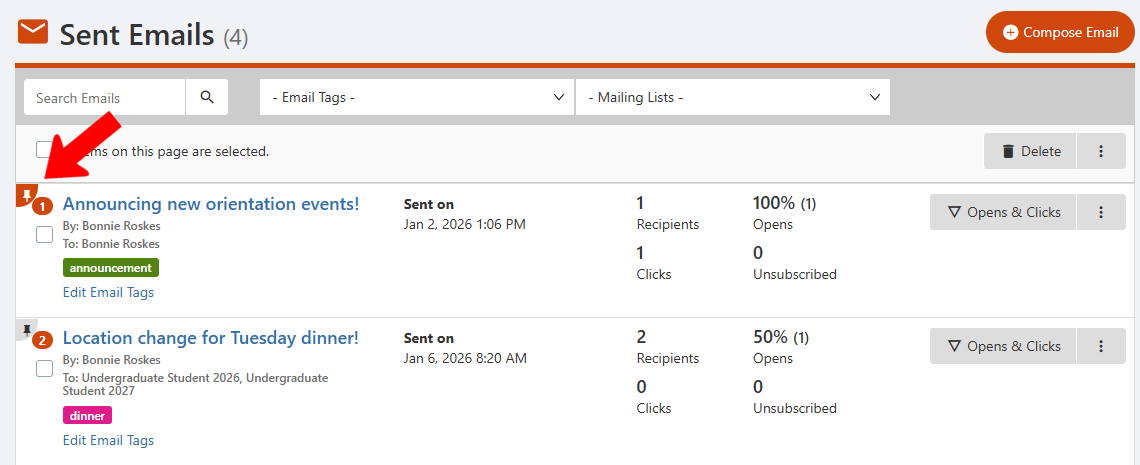
Clicking an email's Pin icon moves it to the top of the list, for easy access.
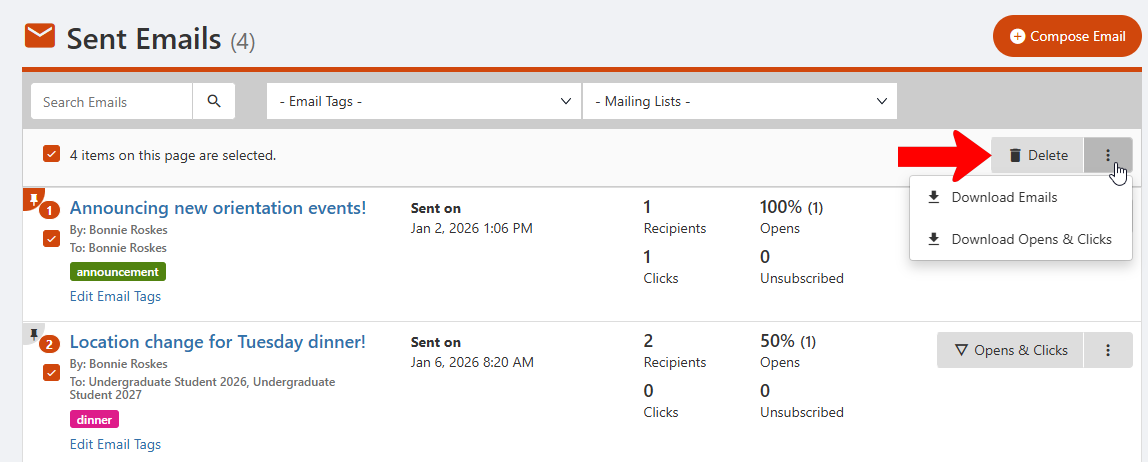
When one or more emails are selected, you can delete them. Or click the More (three-dot) icon for options to download the emails or download open and click data.